 OurSpace
 Guides · Shared calendars
See your and your partner's Google Calendars in one view, three ways
Two adults, two Google accounts, one household. You each keep a perfectly good diary, and Saturday still gets double-booked because neither of you can see the other's. Here are the three ways to fix it, starting with the free one Google already gives you.
Fair warning before we start: I make OurSpace, the app in way three. Ways one and two are Google's own, they cost nothing, and for plenty of couples they are all that's needed. I'd rather you picked the one that fits than picked mine.
The three ways at a glance
| 1 · Share calendars | 2 · Joint calendar | 3 · OurSpace | |
|---|---|---|---|
| What you get | Each other's events in one blended grid, told apart by colour | One extra diary you both write joint things into | Both diaries side by side, a column each, in a household app |
| Cost | Free | Free | £2.99 once on iPhone; free on Android and web, no adverts |
| Set-up | About five minutes, needs a computer or a browser | About five minutes, needs a computer or a browser | Sign in with Google on each phone, then link with a couple code |
| Weak spot | Busy weeks blur into a wall of colour | Only shows what you remember to put on it | Viewing happens in OurSpace, not inside Google Calendar |
| Comes with | Nothing else | Nothing else | Shopping list, tasks, meal plans, budgets, renewal and bin reminders |
Way one: share your calendars with each other
This is Google's built-in method, and it's the right first thing to try. Each of you shares your calendar with the other, and the other's events appear alongside your own, in a different colour.
- On a computer, open calendar.google.com. Sharing isn't offered in the phone app, so this bit needs a browser (on a phone, request the desktop site).
- On the left under My calendars, hover over your calendar, click the three dots, then Settings and sharing.
- Under Share with specific people or groups, click Add people and groups and enter your partner's email address.
- Choose how much they see: See all event details, or See only free/busy (hide details) if you'd rather share less. Send the invitation.
- Your partner accepts from the email, and your calendar appears in their list under Other calendars. Then they do the same back to you, so it works in both directions.
On your phones, the shared calendar can be switched on and off in the Google Calendar app's settings, so you can hide each other's diaries when you only want your own.
Worth knowing before you choose it
- Both events streams land in one blended grid. With two full diaries that's a wall of colour, and it's surprisingly easy to see everything and still miss the thing.
- The sharing choice is per calendar and all or nothing: full details or just busy, nothing in between.
- Your partner needs a Google account of their own. Sharing privately to a non-Google address only offers a view-only link.
- You get visibility and nothing else. The shopping list, the to-dos and the rest of the household still live somewhere else.
Pick this if you both live inside Google Calendar all day and visibility is genuinely all you're after.
Way two: a joint calendar you both write to
Instead of showing each other your own diaries, you create one extra calendar (call it Us, or Home) and share it between you with permission to edit. Joint things go on it: the holiday, the parents' evening, the boiler service.
- On a computer, in calendar.google.com, click the plus next to Other calendars and choose Create new calendar.
- Name it, create it, then open its Settings and sharing page.
- Share it with your partner, this time with the permission Make changes to events, so you can both add and edit.
- On your phones, tick the new calendar so it shows in the Google Calendar app, and add anything joint to it rather than to your own diary.
If you already run a Google family group (for sharing storage or keeping an eye on the kids' devices), you have a ready-made version of this: Google creates a Family calendar that every member of the group sees automatically.
Worth knowing before you choose it
- It only shows what somebody deliberately puts on it. Your work diary doesn't appear, so "what's your Thursday actually like?" stays unanswered.
- Somebody has to be the person who copies things across, and that person has just become the household's unpaid secretary. That's the exact problem you were trying to solve.
- The Family calendar version is visible to everyone in the group, children included, with no way to keep one entry between the two of you.
Pick this if you want one tidy diary for genuinely joint things and you'll both actually keep it up.
Way three: OurSpace, both diaries side by side
This is the one I make, so weigh what follows accordingly. OurSpace is a shared household app for couples and families: £2.99 once on iPhone, free on Android and the web. Each of you signs into it with your own Google account and grants read-only access to your calendar. From then on the app shows the day as two columns, your name over your events and your partner's over theirs, with a month view underneath. Nothing is copied, retyped or moved; your calendars stay exactly where they are, and OurSpace never changes anything in them.
-
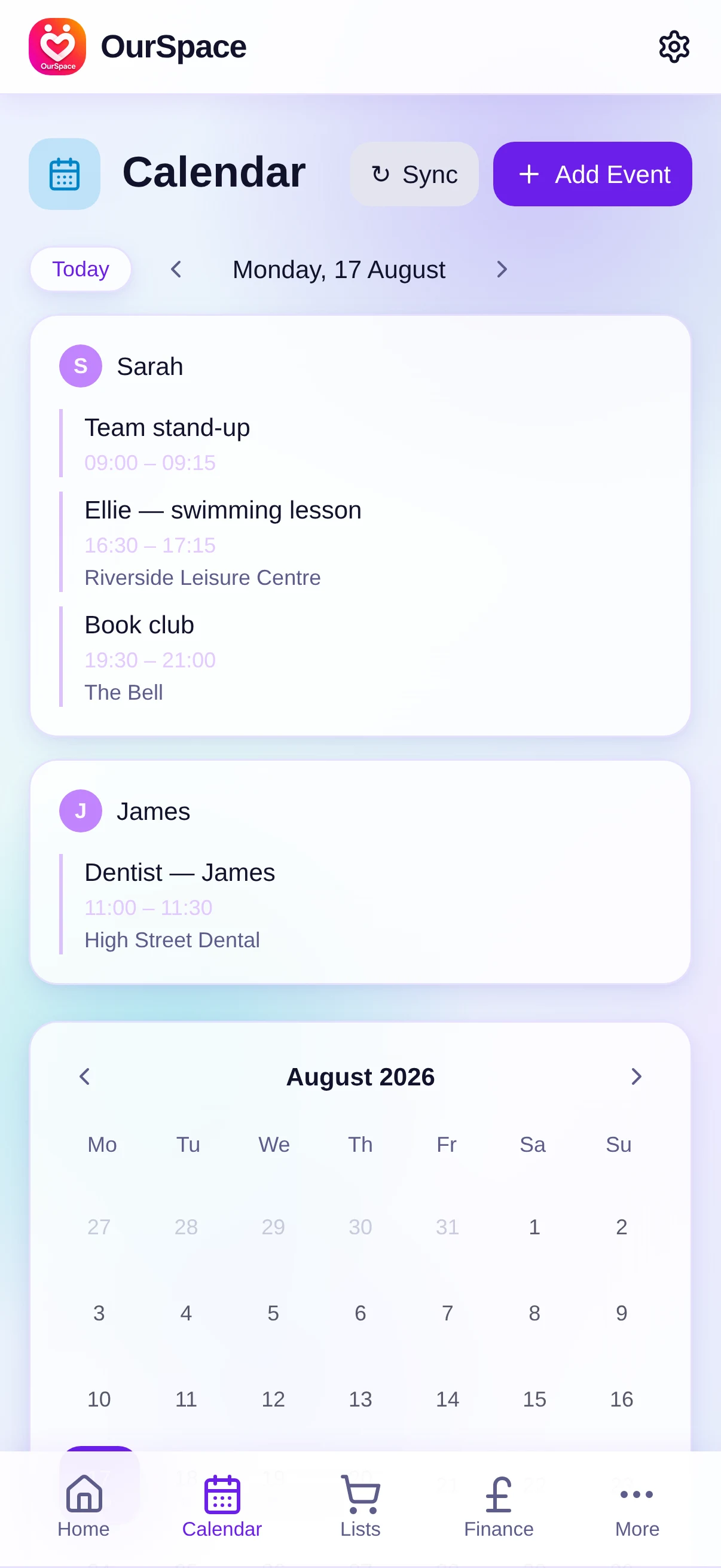
Both diaries, a column each -
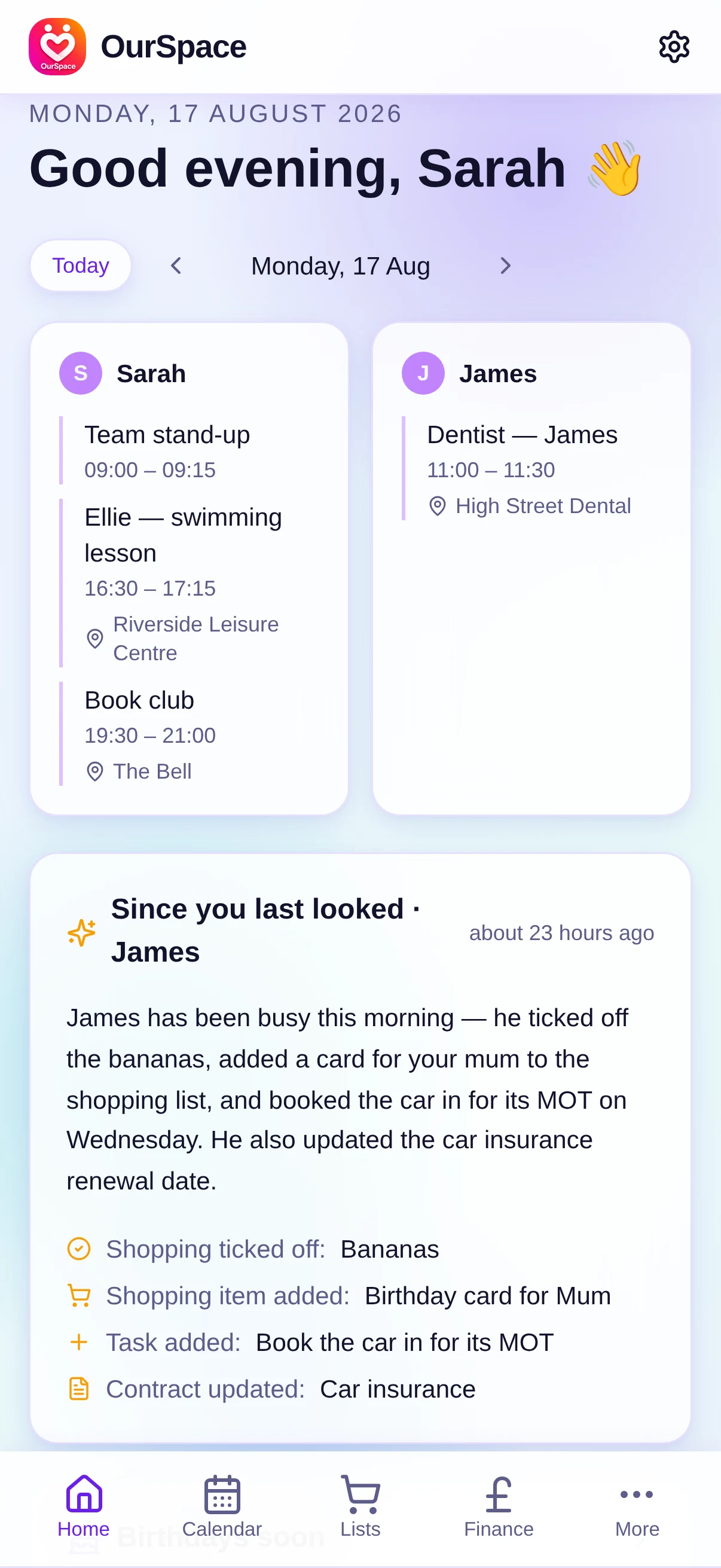
Today from both sides, and what changed
The reason it exists is what sits around the calendar. The same app holds the shared shopping list, tasks with due dates and places, an AI meal planner that drafts the week's dinners and sends the ingredients to the list, budgets, contract renewal reminders, bin-day reminders and birthdays. Each time you open it, a short digest tells you what your partner added or ticked off since you last looked, so the calendar comes with the rest of the household attached.
Worth knowing before you choose it (yes, this one too)
- It connects Google Calendars only. If one of you runs their life from Outlook or Apple Calendar, see the question below.
- You view the combined week in OurSpace rather than inside Google Calendar itself, and you carry on using Google Calendar to create your own events.
- It's a young app from a one-person firm (mine). That means fast fixes and a developer who answers email, but a smaller track record than Google.
Pick this if you want the two diaries genuinely side by side, or you want the calendar to live beside the lists, meals and money rather than on its own.
Which way should you pick?
My honest suggestion: if all you want is to see each other's week and you're both happy living in Google Calendar, use way one and spend the five minutes today. If your problem is joint events specifically, add way two on top; the two work well together. If the calendar is one symptom of a wider thing (lists on the fridge, renewal dates in a drawer, "did you book that?" most evenings), that's the job OurSpace was built for, and on Android or the web it costs nothing to find out. If you're comparing household apps more widely, I've written an honest round-up of the best family organiser apps for UK households, competitors included.
Questions people actually ask
Can I see my partner's Google Calendar without them agreeing to it?
No. Every method on this page needs them to share, accept or sign in themselves, and that's as it should be. A calendar is personal until its owner says otherwise.
Can my partner see when I'm busy without seeing the details?
Yes, with way one: when you share, choose See only free/busy (hide details). They'll see blocked-out time with no titles, places or descriptions.
Do we need to share one Google account?
No, and please don't. All three ways keep your own separate accounts, your own logins and your own reminders. Sharing a login is how calendars get muddled and privacy gets lost.
What if one of us uses Outlook or Apple Calendar instead?
Everything here works on Google Calendars. Both Outlook and Apple's iCloud calendar can publish a subscription link (ICS), which Google Calendar can then subscribe to under Other calendars → From URL; once it's showing in a Google account it flows into any of the three ways. It's a workaround rather than a joy, and updates can take a while to come through.
Does OurSpace change anything in my Google Calendar?
OurSpace asks Google for read-only access, and it can't share your calendar with anyone else. Only you and the partner you've linked with see the household view. The full detail is in the privacy policy.
What does OurSpace cost? Is there a catch?
£2.99 once on the App Store, and nothing at all on Android or the web. There's no catch beyond that: I'm a one-man software firm in Buckinghamshire and OurSpace started as an app for my own household, so there are no adverts, no subscription, no paid version waiting behind it, and your data is never sold. It was free everywhere until September 2026, and I said here that I'd tell you plainly if that changed, so here it is.
See both your weeks in one place
OurSpace is £2.99 once on iPhone, and free on Android and the web. Connect your own Google Calendars, link up with a couple code, and the whole household is in one view.
Try OurSpace